
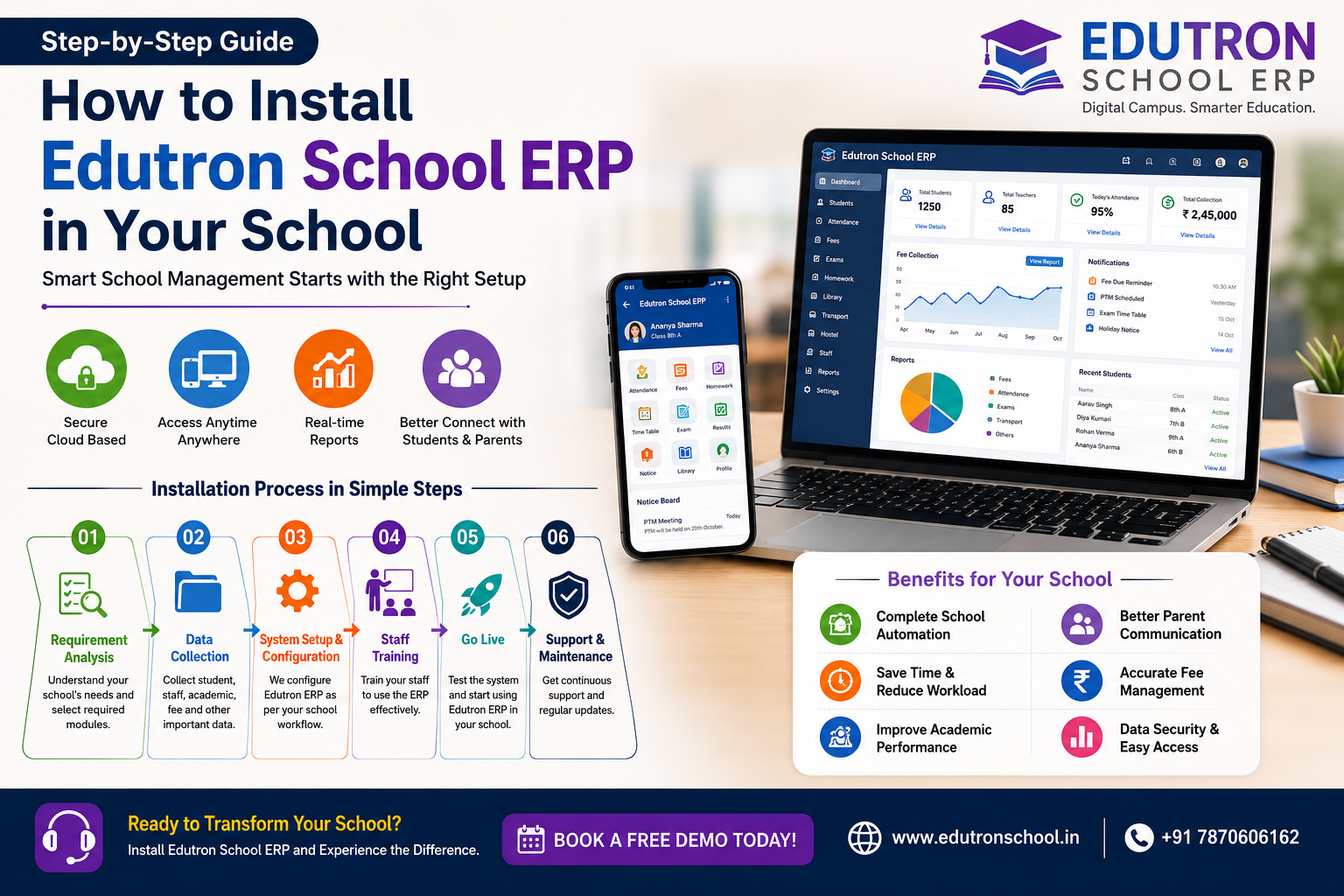
How to Install Edutron School ERP in Your School: A Complete Step-by-Step Guide
Managing a school efficiently in today’s digital world requires more than traditional paperwork and spreadsheets. Schools need a smart and centralized system to manage admissions, attendance, fees, exams, staff, communication, and academics seamlessly.
This is where Edutron School ERP comes in — a complete school management solution designed to automate school operations and improve efficiency.
If you are planning to implement Edutron School ERP in your school, this guide will walk you through the installation and setup process step by step.

Why Install Edutron School ERP?
Before installation, let’s understand why schools are rapidly adopting ERP systems:
- Digital student admission process
- Online fee management and payment tracking
- Attendance management for students and staff
- Exam and report card automation
- Homework and assignment tracking
- Parent communication through mobile app and SMS
- Transport and hostel management
- Centralized school data management
With Edutron School ERP, schools can save time, reduce manual work, and improve transparency.
Step 1: Requirement Analysis
Before installation, identify your school’s requirements:
- Number of students
- School branches (if multiple)
- Required modules (Fees, Attendance, Transport, Hostel, HR, Exams, etc.)
- Teacher and staff access requirements
- Parent mobile app requirement
The Edutron team helps schools choose the right configuration based on their needs.
Step 2: School Data Collection
Gather your school data for smooth implementation:
- Student records
- Class and section details
- Teacher and staff information
- Fee structure
- Academic session details
- Subject and timetable information
This data will be imported into the ERP system to avoid manual entry.
Step 3: System Setup & Configuration
Once data is ready, the Edutron team configures your ERP according to your school’s workflow.
Key Configuration Includes:
- School profile setup
- Session and class setup
- Fee structure configuration
- User roles and permissions
- Attendance settings
- Exam grading system
- SMS and WhatsApp integration
Step 4: Staff Training
Training is an important step for successful ERP implementation.
Teachers, accountants, office staff, and administrators receive training on:
- Attendance management
- Fee collection process
- Student management
- Exam and report card generation
- Communication tools
- Parent app usage
Step 5: Go Live & Start Using
After testing and staff training, your school is ready to go live.
Schools can immediately start using:
- Online admissions
- Attendance system
- Fee collection
- Homework management
- Online communication
- Exam management
- Parent mobile application
Benefits of Installing Edutron School ERP
- 100% digital school management
- Reduced paperwork
- Real-time reports and analytics
- Better parent-school communication
- Improved fee collection tracking
- Secure cloud-based data access
- Mobile access anytime, anywhere
Why Choose Edutron School ERP?
Edutron School ERP is designed specifically for schools in India with easy implementation, powerful features, and dedicated support.
Whether you run a small school, CBSE school, ICSE school, coaching institute, or multi-branch institution, Edutron School ERP simplifies school management.
Ready to Install Edutron School ERP?
Take your school management to the next level with smart automation.
🚀 Book a Free Demo Today
Website:
https://edutronschool.in
Phone: +91 7870606162